Can GPT-6 build Ignition Perspective pages? An AI data center demo
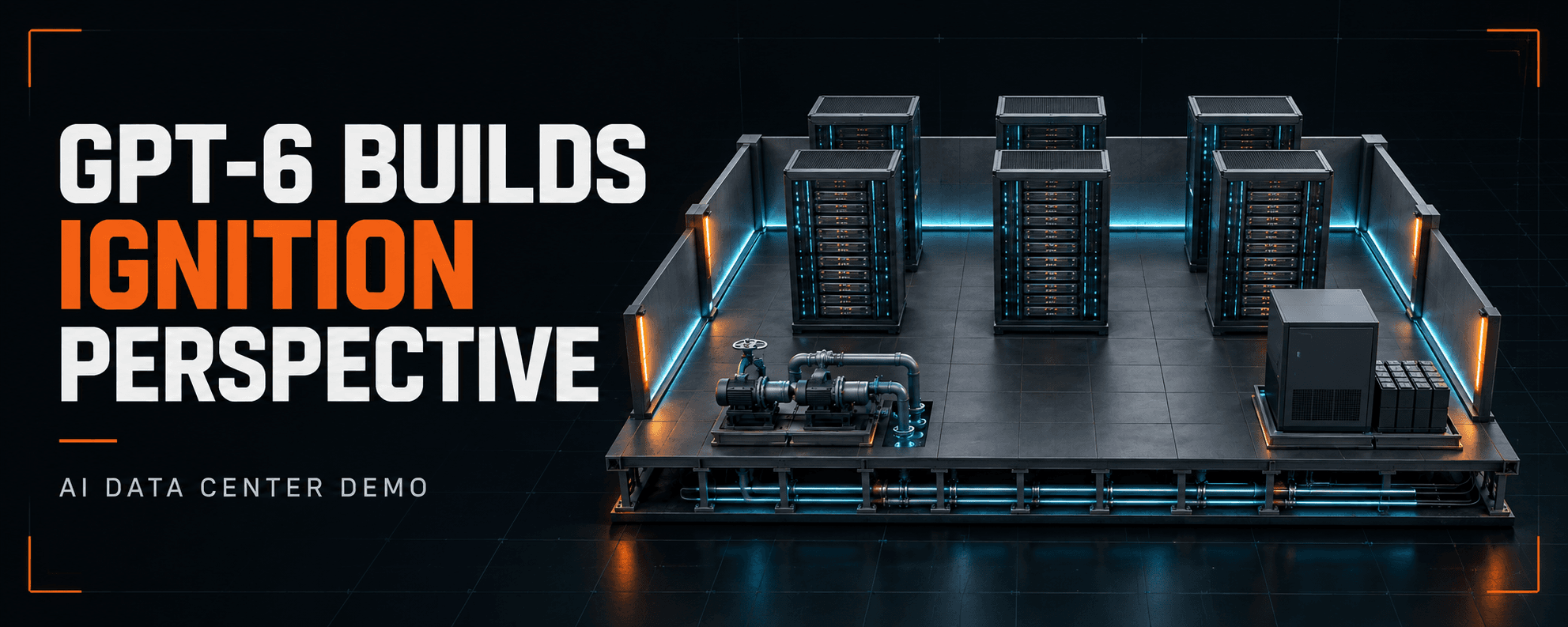
A working data center demo in Ignition 8.3.9, built with GPT-6 Astra in Codex. Walk through the equipment pages, then see the planning, skills, artwork, APIs, and testing behind them.
Key takeaways
- The demo uses native Perspective pages and controls, with shared simulated data running in the Gateway.
- GPT-6 Pro helped define the equipment, navigation, tags, and expected responses before Codex started building.
- Ignition's built-in API handled imports and diagnostics. Our API enhancement checked the runtime and live tag values.
- Screenshot review and behavior tests caught layout defects and incorrect readings before the demo was finished.
A data center overview with three scene layers
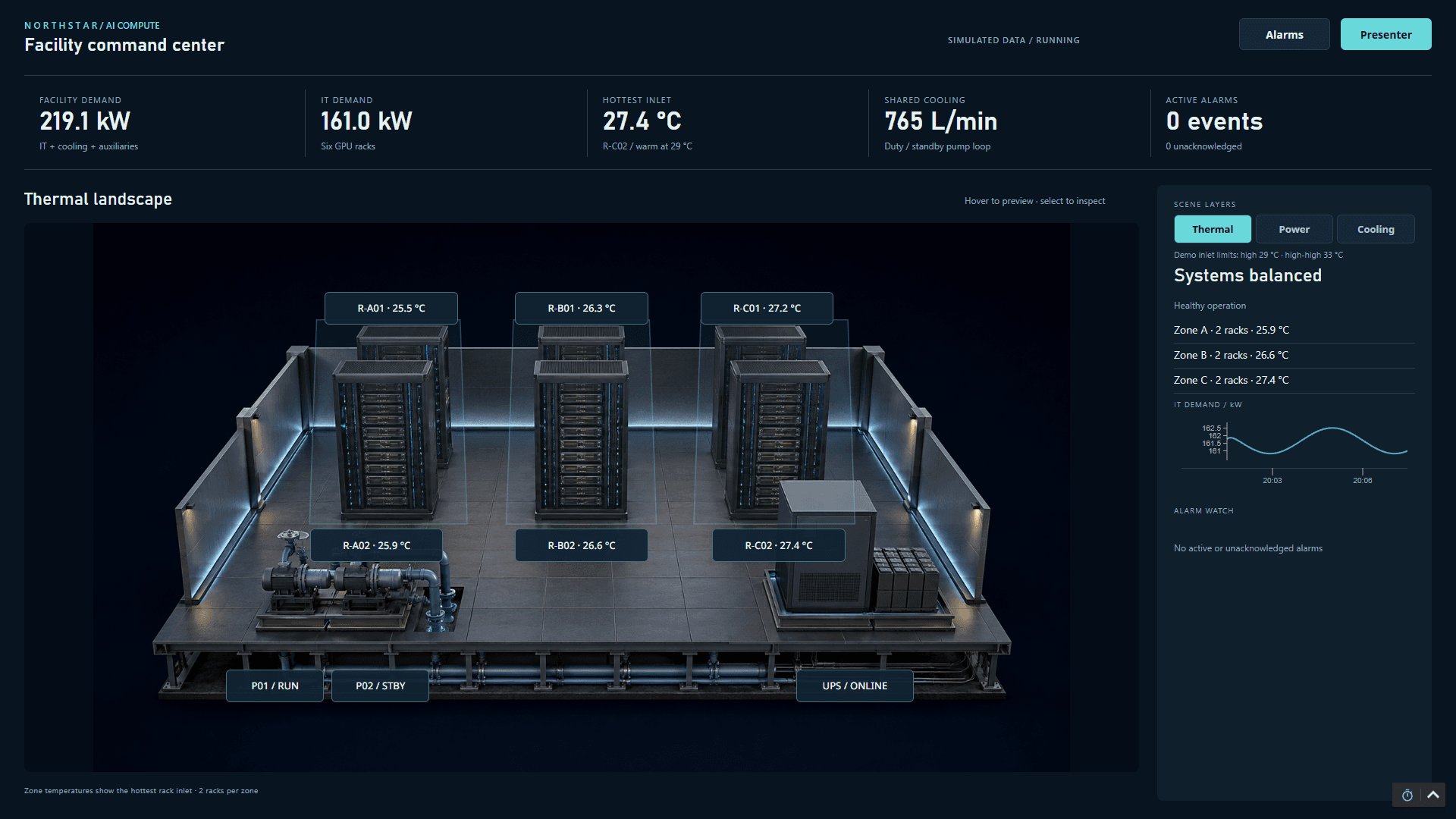
Yes. I used GPT-6 Astra in Codex to build a working Ignition Perspective demo on a local Ignition 8.3.9 Gateway. The page shows an AI data center with six GPU racks, two cooling pumps, and a UPS. All process values are simulated.
Thermal, Power, and Cooling change the readings over the same equipment scene. Thermal shows rack inlet temperatures, Power shows electrical demand, and Cooling shows loop conditions and pump feedback. Clicking equipment opens its detail page. Navigation goes one level deep, with a route back to the facility.
Open a GPU rack and change the workload
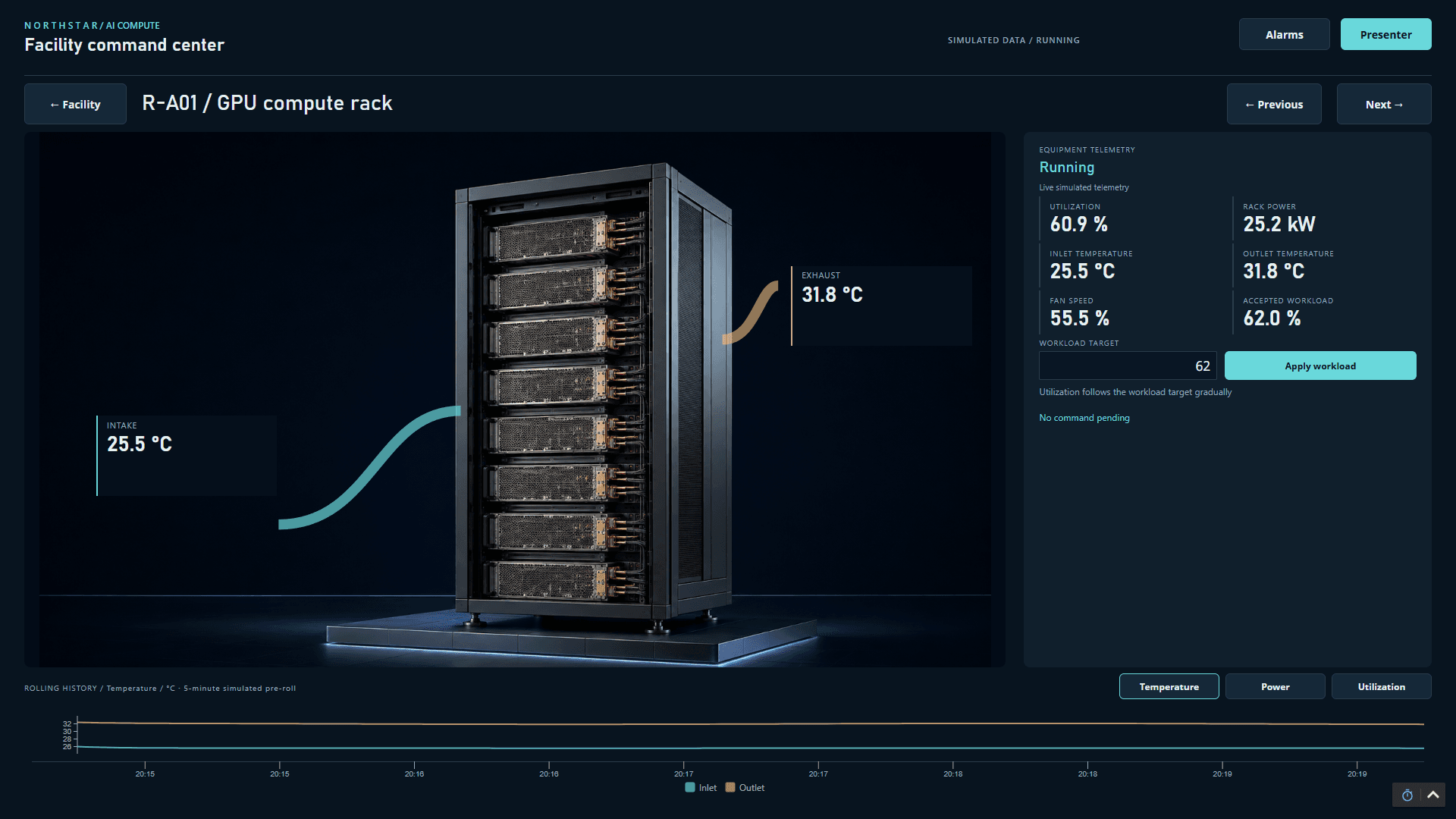
The GPU rack page shows utilization, power, inlet and outlet temperatures, and fan speed. Changing the workload target makes utilization move toward the requested value. Power and temperature respond through the simulation, and the trend shows the response over time.
Check cooling flow and recover from a pump fault
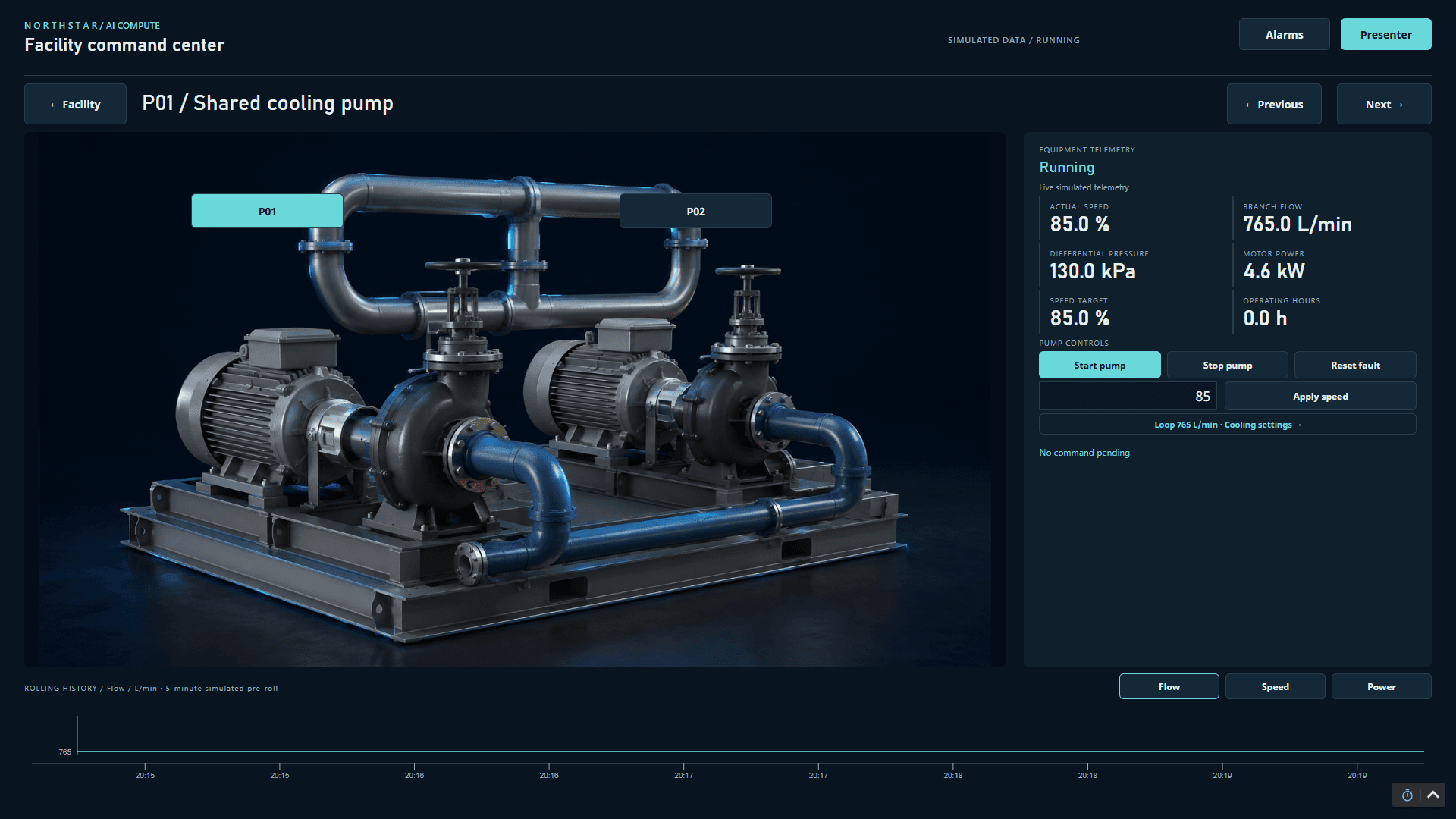
The pump page shows speed, flow, pressure, and motor power, alongside start, stop, and fault-reset controls. In our duty-pump failure scenario, flow falls and the zones warm up. Starting the standby pump restores flow, then temperatures recover gradually. Acknowledging an alarm does not repair the pump fault.
See what the UPS supports during utility loss
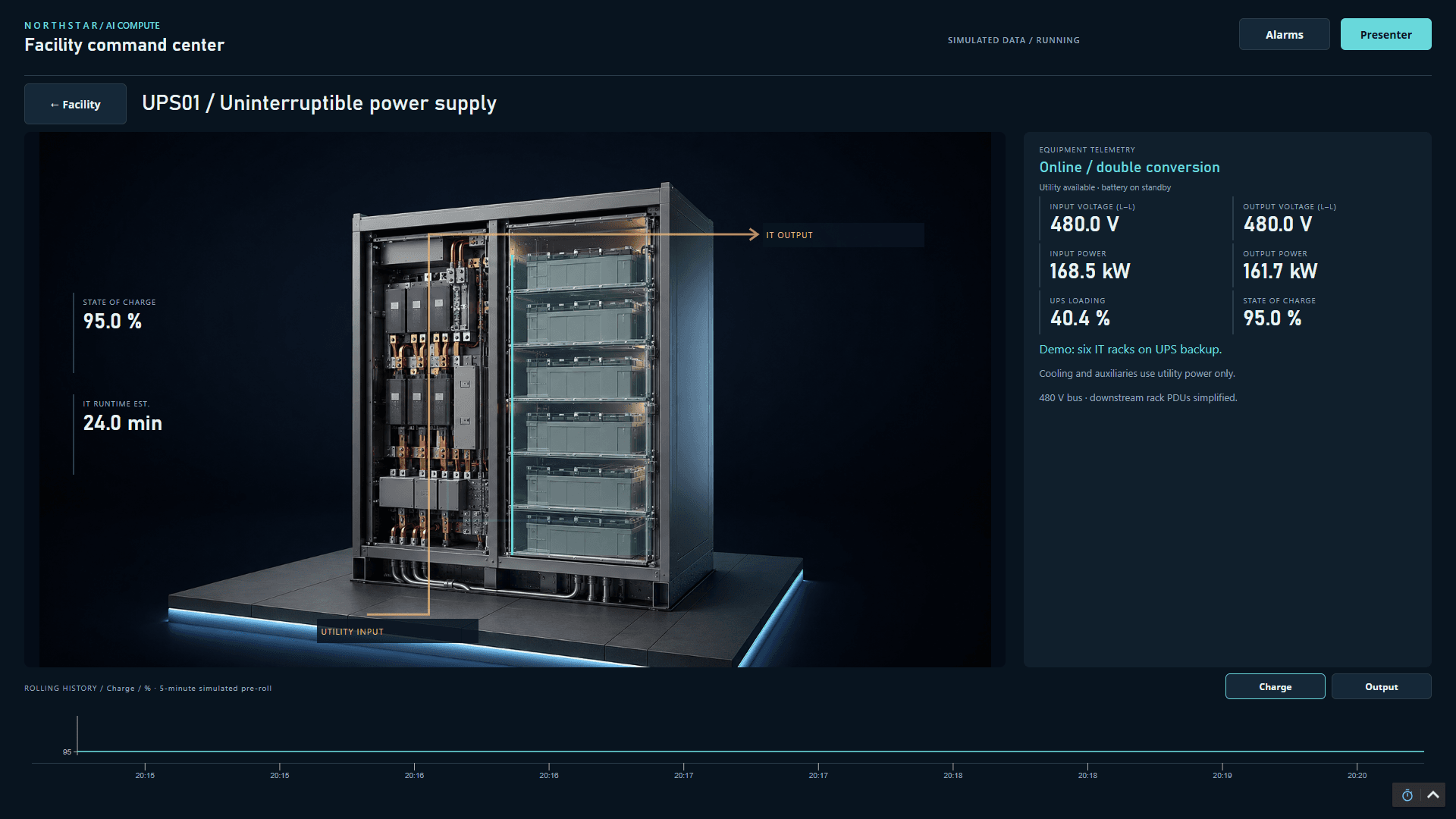
The UPS page shows input and output power, battery state of charge, and estimated IT runtime. During the utility-loss scenario, the battery supports the six racks. Cooling still depends on utility power in this simplified model, so keeping the racks powered does not keep the room cool.
Plan the tags and behavior before building the pages
We started in GPT-6 Pro with the demo idea and asked for a build plan. Before touching the Gateway, we chose the equipment, navigation depth, readings, and fault and recovery behavior. That produced a written plan and a tag catalog.
We brought those files into Codex with the Perspective and Jython skills. The skills supplied Ignition-specific instructions for components, tag bindings, script context, and Jython 2.7.4. GPT Image created the equipment artwork. Codex placed native Perspective readings, buttons, charts, and alarms over it.
This distinction matters when repeating the build. The artwork provides the equipment scene; the Perspective components provide the data, navigation, and controls.
Create a shared Gateway simulation
With API-key access to the local Gateway, Codex imported the project and created 241 tags and three UDT definitions. UDTs are reusable tag templates for equipment types. The Jython simulation updates the process values through a shared Gateway timer, so separate browser sessions see the same process.
The trends start with five minutes of simulated history already loaded. That gives the presenter something to inspect immediately. Those readings are synthetic history, not measurements collected from physical equipment.
Which API calls came from Ignition, and which came from our enhancement?
Ignition's built-in API handled project and tag import/export, Gateway logs, and timer diagnostics. Our 8.3 API enhancement supplied two additional actions used here: runtime-profile-v2 and tag-read-v1.
Those two actions ran through our custom llmImport Web Dev endpoint. They confirmed the scripting runtime and read live tag values, timestamps, and quality. The table separates the two providers.
| Provided by | API or action | What we used it for |
|---|---|---|
| Ignition's built-in API | Project import/export | Deploy the Perspective project, save backups, and check the deployed files. |
| Ignition's built-in API | Tag import/export | Create and check the tags and UDT definitions. |
| Ignition's built-in API | /data/api/v1/logs and /data/api/v1/scripts/diagnostics/timer | Review Gateway warnings and errors and check the simulator timer. |
| Our 8.3 API enhancement | runtime-profile-v2 | Confirm the Gateway Jython version and test Python behavior. |
| Our 8.3 API enhancement | tag-read-v1 | Read live tag values, timestamps, and quality to verify the simulation. |
Check the browser and the process behind it
We took browser screenshots and corrected overlaps, unwanted scrollbars, and hard-to-read labels. We also fixed the Power layer, which initially repeated temperature readings. That was the kind of mistake a polished screenshot alone could hide.
The final review covered 42 layout states and 41 browser behavior checks. We exercised navigation, workload changes, pump recovery, alarms, utility loss, and missing telemetry, then checked tag readbacks and Gateway logs. For example, starting the standby pump had to restore simulated flow.
This build was tested on Ignition 8.3.9. Adapting it to another 8.3 release or to 8.1 requires version-appropriate scripts, API access, and testing. This case study does not establish compatibility with every Ignition patch or a production control system.
How to repeat the workflow
The most useful input was a clear description of how the demo should respond. It gave us something concrete to test after the pages appeared.
- 01Choose a small equipment list and one level of detail pages. Write down the readings, controls, faults, and expected recovery behavior.
- 02Ask the planning model for a build plan and tag catalog, including equipment templates and how the simulated values relate to each other.
- 03Give Codex the plan, tag catalog, version-matched Perspective and Jython skills, and API access to a development Gateway.
- 04Build the tags and simulation, then connect the native Perspective pages. Use equipment artwork where it helps explain the system.
- 05Review browser screenshots and exercise each control. Verify the results through tag readbacks and Gateway diagnostics.
Perspective, Jython, and API skills
I maintain the Ignition AI Skills resources used in this build. The Ignition 8.3 collection includes the Perspective Builder, Jython 2.7.4 Script Builder, and API enhancements. Use the package that matches your Gateway version, and verify each change in a development environment.
Article FAQ
Frequently asked questions
Can GPT-6 build native Ignition Perspective pages?
In this demo, GPT-6 Astra in Codex created native Perspective resources on Ignition 8.3.9 using a written plan, Ignition-specific skills, and Gateway API access. Human review, browser checks, and runtime readbacks were part of the workflow.
Does this data center demo connect to real equipment?
No. The rack, cooling, and UPS values come from a shared Gateway simulation. The trends include five minutes of synthetic history so the demonstration starts with data already visible.
Did the custom API enhancement replace Ignition's built-in API?
No. Ignition's built-in API handled imports, exports, logs, and timer diagnostics. Our enhancement added the runtime-profile-v2 and tag-read-v1 actions used to check the runtime and live tag data.
Can I use the same project on Ignition 8.1?
The tested environment was Ignition 8.3.9. An 8.1 version would need compatible resources, scripts, API access, and its own validation. This article does not claim that the same project imports unchanged into 8.1.
Sources and notes
Documentation referenced
Lifetime membership
Want the toolkit behind this workflow?
The one-time Ignition AI Toolkit membership includes the Web Dev API runner, skill files, setup docs, versioned downloads, and released Ignition 8.3 resources for lifetime members. Founder pricing is available while the first 50 spots last.
Founder lifetime access - $99