The First AI Agent Your Factory Needs Should Reject Bad Data
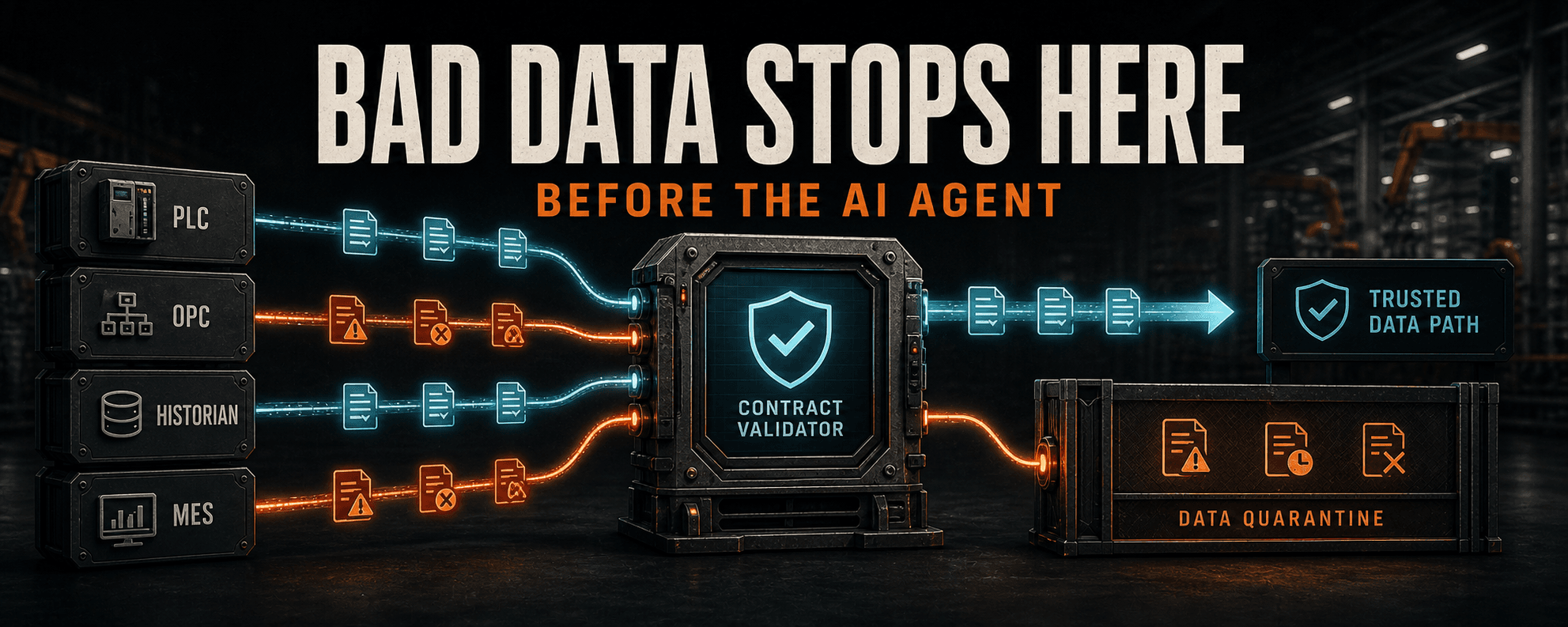
Before an AI agent analyzes the plant, stop records with missing units, stale timestamps, broken schemas, bad quality, or missing production context from entering the trusted data path.
Key takeaways
- A message can arrive successfully and still carry the wrong unit, timestamp, quality, asset, or production context.
- A deterministic validator should decide which records enter the trusted data path.
- The AI agent is useful on the exception path, where causes cross several plant systems.
- The agent should draft evidence and corrections, not rewrite production schemas or republish quarantined data.
- One line, one payload, and one downstream consumer are enough for a measurable pilot.
Related product pages
A successful message can still be wrong
Before an AI agent analyzes a plant, give it one simpler job: stop records with missing units, stale timestamps, broken schemas, or no production context from entering the trusted data path.
MQTT accepted it. The API returned 200. The database inserted a row. None of that proves the value has the right unit, the timestamp belongs to the current run, the source quality is good, or the asset and work order are correct.
Once AI is involved, a bad record can become a polished explanation before anyone notices the source was wrong.
The validator decides what passes
HighByte or Litmus can provide an edge modeling and contextualization layer. HiveMQ Data Hub can enforce broker-side schema policies. Ignition, historians, MES, and SQL systems may sit on either side of the boundary.
The tool choice is secondary. A record should not become trusted just because it moved.
FAST PATH
PLC, OPC, historian, MES -> raw landing -> contract validator -> trusted topic or table

EXCEPTION PATH
contract failure -> quarantine -> AI exception analysis -> engineer review -> test replay- Source and asset identity
- Event time, not only arrival time
- Datatype and schema version
- Engineering unit
- Source quality
- Expected range or allowed state
- Product, batch, order, or run context
- Lineage for important transformations
Give the agent the exception job
The agent wakes up when a record fails the contract or a failure rate crosses a defined threshold. Its inputs are limited to the rejected record, failed rule, recent accepted examples, source metadata, versioned mapping, and downstream requirements.
If the contract is incomplete, the agent should flag the gap. It should not invent a unit, asset name, or work order just to make the record pass.
- 01Group repeated failures by source, asset, rule, and first-seen time.
- 02Explain the mismatch in plant language.
- 03Separate likely mapping drift from bad source quality or missing production context.
- 04Draft a configuration diff without applying it.
- 05Build replay tests from captured, sanitized examples.
- 06Update the engineering ticket with evidence, confidence, and open questions.
The human gate is part of the system
An OT data engineer or controls engineer reviews the proposed change. The ticket and configuration repository remain the systems of record.
The agent cannot edit a production schema, change PLC or SCADA configuration, republish quarantined records, alter MES transactions, or make a quality disposition.
- Diff review
- Replay testing
- Development or staging validation
- Pass and failure counts
- Downstream readbacks
- Logs, backup, and rollback point
- Approval through the existing change process
One production line is enough
Choose one packaging line, one payload, and one downstream consumer. Keep the raw input immutable and run the validator in shadow mode first.
The agent prepares an incident packet and proposed correction. An engineer reviews it and tests an approved change in development or staging. The deterministic validator decides whether the replay passes.
Seed known replay failures
- Missing unit
- Old timestamp
- Unknown state
- Missing work order
- Bad source quality
- Changed source identifier
Measure the pilot
- Seeded defects detected
- Validation pass and failure counts
- Quarantine age
- Time to a reviewable diagnosis
- Replay pass rate
- Repeat failures after deployment
- Downstream consumer errors
- Accepted, modified, and rejected agent proposals
- Unapproved production writes, which should remain zero by design
The model helps the engineer maintain the standard
This is a good agent job because the failures repeat but the causes cross systems. Deterministic software can say which rule failed. The AI can help explain what changed and draft the smallest testable correction.
The model does not become the data standard. It helps the engineer maintain the standard.
We build Ignition-specific skills for Claude, Codex, and other AI agents, and we are building a practical AI course for manufacturing IT, OT, engineering, and other professionals. The courses page has the launch waitlist.
Article FAQ
Frequently asked questions
Why should a factory AI agent reject bad data first?
Because an accepted MQTT message, API response, or database row can still carry the wrong unit, timestamp, quality, asset identity, or production context. Analysis built on that record can turn the original error into a convincing explanation.
Should the AI model decide whether plant data is valid?
No. Explicit, versioned validation rules should determine whether a record enters the trusted path. The agent can analyze quarantined exceptions and draft evidence for review.
What can the agent do with rejected manufacturing data?
It can group failures, explain the mismatch, distinguish mapping drift from source-quality problems, draft a configuration diff, build replay cases, and update an engineering ticket.
How small can the first data-quality pilot be?
One production line, one payload, and one downstream consumer are enough. Run the validator in shadow mode, seed known failures, and measure detection, diagnosis, replay, downstream errors, and unapproved writes.
Sources and notes
Documentation referenced
Lifetime membership
Want the toolkit behind this workflow?
The one-time Ignition AI Toolkit membership includes the Web Dev API runner, skill files, setup docs, versioned downloads, and released Ignition 8.3 resources for lifetime members. Founder pricing is available while the first 50 spots last.
Founder lifetime access - $99