We Taught AI Agents to Build Vision Windows in an Ignition 8.3 Gateway Project
An Ignition Vision window can import cleanly and still fail inside the native client. This workflow makes the agent prove the resource, bindings, scripts, geometry, runtime behavior, and logs.
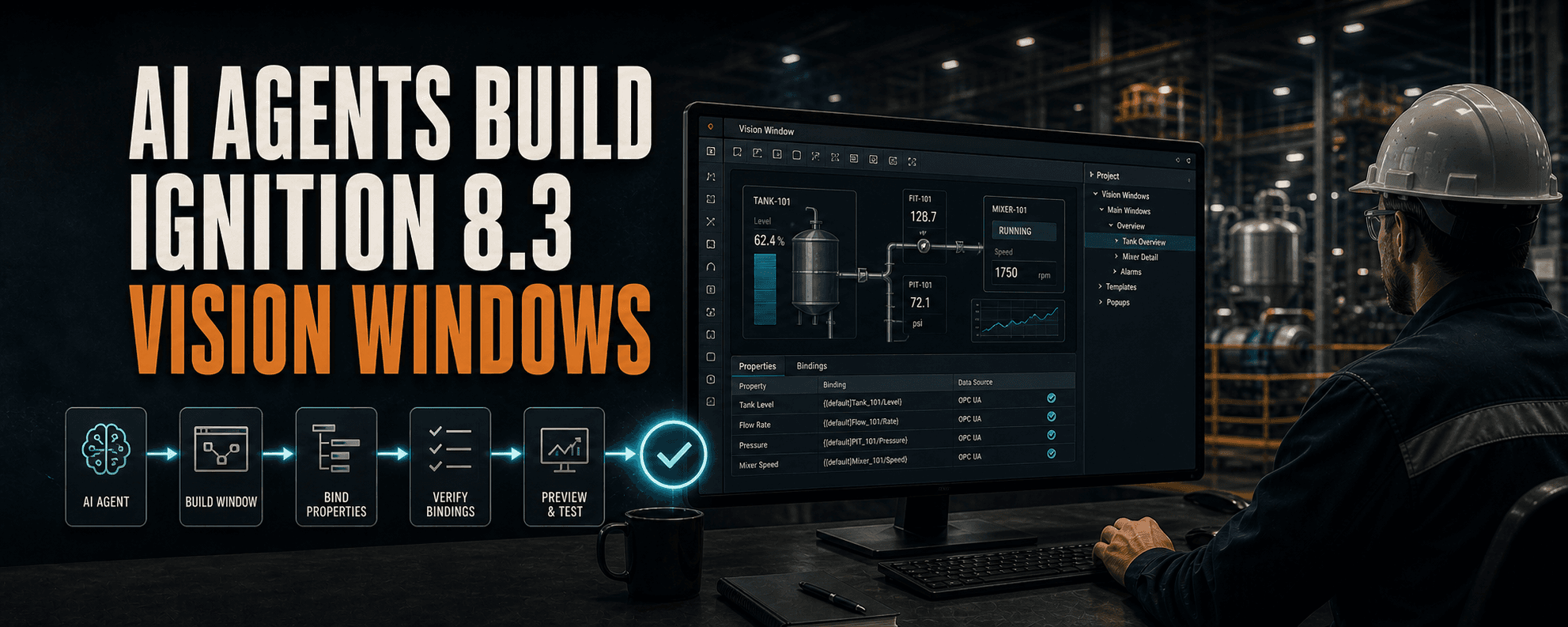
Key takeaways
- A successful import proves that a resource loaded, not that the Vision window works.
- Vision resources and Vision-side Jython need coordinated, version-matched guidance for Ignition 8.3.8.
- The agent should inspect the real project instead of inventing tag paths, components, properties, or dependencies.
- Runtime claims need a fresh Vision Client, screenshots, geometry checks, values, and relevant Client and Gateway logs.
- Engineering review, bounded changes, readback, backups, and rollback remain part of the workflow.
A clean import can still fail inside the native client
An Ignition Vision window can import cleanly and still fail where it matters: inside the native client.
The layout can break. A binding can target the wrong property. A script can run in the wrong scope. The client can be logging an exception while the screen still looks convincing.
That gap between almost right and proven behavior is the problem we wanted to address with the updated Ignition 8.3.8 Vision Module skill.
The hard part is the small, confident mistake
The complaint is not that AI never produces useful work. Engineers often spend too much time finding the small, confident mistake hidden inside otherwise plausible output.
That shows up across software development. In the 2025 Stack Overflow Developer Survey, 66% of respondents using AI tools cited solutions that were almost right as a frustration, and 45% said debugging AI-generated code was more time-consuming.
Controls engineers describe the Ignition-specific version of the same problem: models reach for generic Java code when an Ignition system function already exists, struggle with Vision layouts and bindings, mix up component events and scripting scopes, introduce syntax errors, or corrupt resources. Those are not minor inconveniences when an engineer still has to maintain and trust the result.
What the Ignition 8.3.8 Vision update changes
The update gives Claude, Codex, and other AI agents a version-aware workflow for the Vision Module. One download contains two coordinated skill folders because Vision work crosses two boundaries.
The exact version matters. Ignition 8.3.8 updated Jython from 2.7.3 to 2.7.4 and included Vision-specific fixes, so an answer remembered from 8.1 or an earlier 8.3 release is not enough.
Vision resource lifecycle
Inspect windows, components, bindings, events, dependencies, startup state, and supported Gateway interfaces before changing anything.
Vision-side Jython
Keep code inside Ignition 8.3.8 and Jython 2.7.4 constraints while distinguishing component events, Client scripts, Project Library code, message handlers, and Gateway scope.
Make the agent prove more than generation
The skill asks the agent to prove more than generation before the engineer accepts the result.
- Confirm the exact Gateway build, Vision module, project, resource, and available API before a mutation.
- Inspect the real project structure instead of inventing tag paths, components, properties, or dependencies.
- Use dry runs, current-state checks, bounded changes, human approval, readback, backups, and rollback.
- Keep serialized resource evidence separate from behavior observed in a running native client.
- Use a fresh Vision Client for runtime claims, then check screenshots, component geometry, values, and the relevant Client and Gateway logs.
- Refuse to call the result correct when required evidence is missing or an unexplained error remains.
A successful import is only the start
A successful import proves that a resource loaded. It does not prove that the window works.
How the rest of the skill stack helps engineers
The Vision update is one part of a broader set of Ignition-specific workflows.
- Jython skills reduce Python 3 drift, invented imports, and mistakes caused by writing code for the wrong execution scope.
- Perspective skills help agents inspect and build views, pages, routes, bindings, and scripts with structural and runtime validation.
- UDT and tag skills help model definitions and instances without guessing providers, paths, data types, alarms, or history settings.
- Expression skills keep agents inside the expression language and make value, type, quality, path, and re-evaluation checks explicit.
- HMI and SCADA design guidance keeps generated screens focused on operator decisions, abnormal states, data quality, and readable hierarchy.
- Bounded Gateway workflows give an authorized agent a controlled path to inspect, dry-run, apply, read back, log, and restore work on a Gateway.
Keep engineering judgment in the workflow
We are not promising zero hallucinations, autonomous production control, or a finished HMI from one clever prompt. The useful loop is more disciplined.
Inspect -> plan -> dry-run -> review -> apply -> read back -> validate in the native client -> check the logs -> keep or roll backA quick note about us
We build Ignition-specific skills that teach Claude, Codex, and other AI agents how to work inside Ignition 8.1 and 8.3. The goal is to help engineers move faster while keeping review, testing, and validation with the engineer.
We are also building a practical AI course for manufacturing IT, OT, engineering, and other manufacturing professionals who have used AI a little but have not yet created their own workflows or applications. Join the waitlist on the courses page.
Article FAQ
Frequently asked questions
Can an AI agent build Ignition 8.3 Vision windows?
Yes, with access to the supported Gateway interfaces and version-matched Vision guidance. The work still needs bounded changes, exact resource readback, a fresh-client test, log review, and engineering approval.
Does a successful Vision import prove the window works?
No. It proves the resource loaded. Runtime behavior still needs to be exercised in a fresh Vision Client while checking values, bindings, scripts, geometry, screenshots, and relevant logs.
Why does the Jython version matter for Ignition 8.3.8?
Ignition 8.3.8 moved to Jython 2.7.4. Version-matched guidance helps prevent Python 3 drift, invented imports, and code written for the wrong Ignition execution scope.
What evidence should an AI-built Vision window include?
At minimum, keep the resource diff or readback, component hierarchy, bindings, scripts, native-client screenshots, geometry checks, runtime values, Client logs, Gateway logs, and rollback state.
Sources and notes
Documentation referenced
Lifetime membership
Want the toolkit behind this workflow?
The one-time Ignition AI Toolkit membership includes the Web Dev API runner, skill files, setup docs, versioned downloads, and released Ignition 8.3 resources for lifetime members. Founder pricing is available while the first 50 spots last.
Founder lifetime access - $99