How to Build an Ignition Perspective AI Skill With a Goal Loop
A concise workflow and copy-paste prompt for building your own Ignition 8.1 Perspective skill the way we did: connect an AI agent to a controlled Web Dev runner, test real pages, save evidence, and promote only proven lessons into SKILL.md.
Key takeaways
- A useful Ignition skill is a tested operating loop, not a collection of clever prompts.
- Use the Web Dev runner API so the AI agent can inspect, dry-run, apply, validate, read logs, and learn from the Gateway.
- Keep SKILL.md concise; put raw logs, failed attempts, screenshots, and long notes in testing, evidence, and handoff files.
- Research from docs and forums is background, not proof. Promote rules only after live testing or label them as docs-only.
- When the runner API cannot inspect or validate something important, add the smallest useful API feature and document the contract change.
Related product pages
What the goal loop is
A goal loop is a repeatable way to make an AI agent learn a real Ignition workflow instead of guessing from memory.
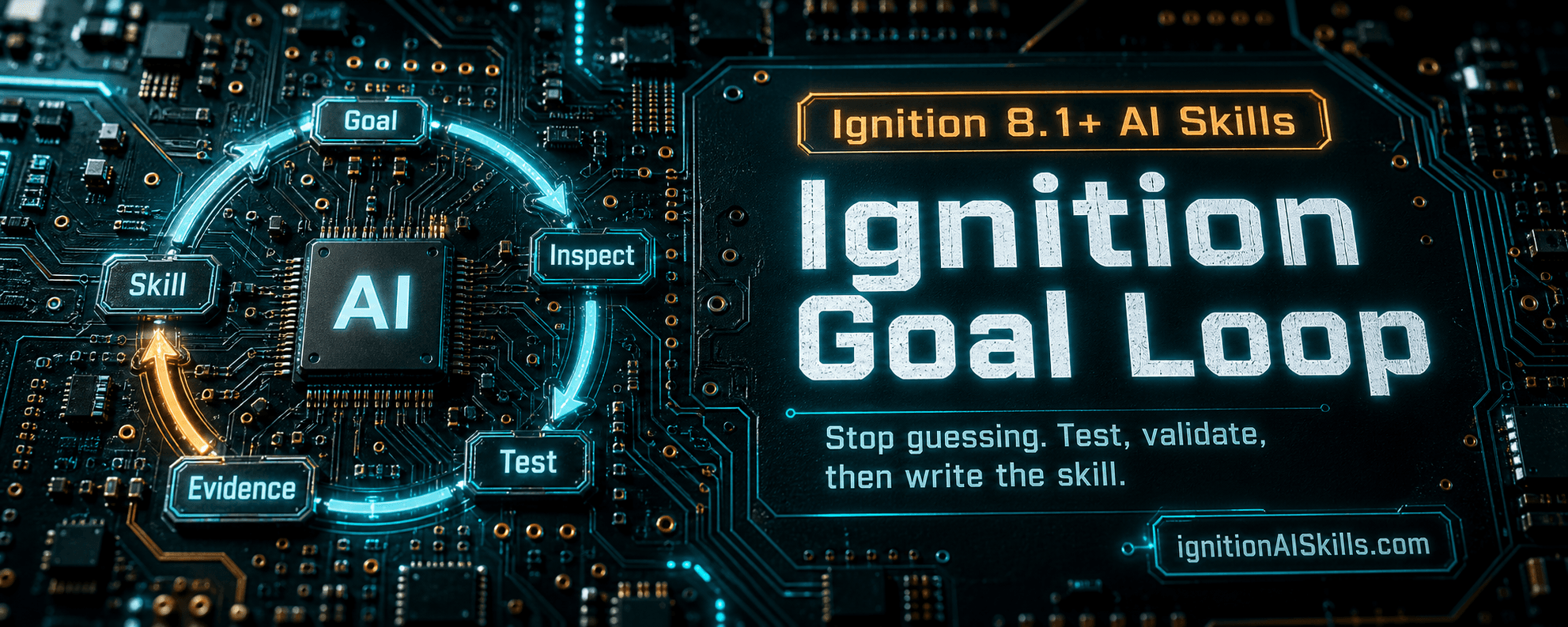
The loop is simple: give the agent a focused goal, connect it to a controlled Ignition Web Dev runner API, make it test one real Perspective page pattern at a time, save evidence, then move only the durable lessons into SKILL.md.
The important part is the evidence boundary. SKILL.md should be concise and operational. The messy work belongs in TESTING.md, EVIDENCE.md, HANDOFF.md, CLAIM_COVERAGE.md, and raw test-run folders.
The minimum setup
Do not begin by trying to write the perfect skill. Begin by building a loop that can prove or disprove claims.
The runner API is the bridge. It lets the agent discover real routes, views, tags, styles, seed components, Named Queries, alarms, logs, and history before it writes anything.
- 01Create or install a Web Dev runner endpoint in a development or staging Ignition 8.1 Gateway.
- 02Give the AI agent an endpoint, token, allowed project, and allowed write prefixes for generated work.
- 03Create a working folder or repo where the skill, tests, evidence, handoff, references, scripts, and runner docs can live.
- 04Start with one realistic Perspective workflow, not the entire SCADA universe.
- 05Require dry-run before every write and exact confirmation before apply.
- 06Validate with runner readback, Gateway logs, and browser/runtime proof when the page behavior matters.
Example goal prompt for building a Perspective skill
This example prompt turns the process into an agent loop: create the skill files, test real Perspective workflows through the Web Dev runner API, capture evidence, update claim coverage, and promote only tested rules into SKILL.md.
Use it as the starting prompt for an agent that supports goal-style long-running work. Replace the skill-creator path and working folder path with your own local paths.
If you are not using Codex, keep the same structure and translate the file paths/tool names to your AI agent environment.
/goal Build an Ignition 8.1 Perspective skill from scratch by repeatedly testing real Perspective page-building through the Web Dev runner API, learning what works, documenting the evidence, and promoting only tested rules into the skill.

Use skill-creator before creating or editing the skill:
<YOUR_CODEX_SKILL_CREATOR_SKILL_MD_PATH>

Working folder:
<YOUR_WORKING_FOLDER_PATH>

Create this schema:
skills\ignition-perspective-builder\
  SKILL.md
  TESTING.md
  EVIDENCE.md
  HANDOFF.md
  CLAIM_COVERAGE.md
  references\
  scripts\
  agents\

webdev-runner\
  RUNNER.md
  docs\CAPABILITIES.md
  docs\API_CHANGE_WORKFLOW.md
  evidence\EVIDENCE.md
  handoff\HANDOFF.md
  notes\NOTES.md

Core loop:
1. Pick one realistic Perspective visualization or workflow: tank overview, pump/valve faceplate, process line overview, alarm panel, history trend, equipment detail route, reusable template, parameterized embedded view, navigation shell, or status dashboard.
2. Research Ignition 8.1 official docs and high-value Inductive Automation forum examples only as background.
3. Write or update a focused test case in TESTING.md before building.
4. Call runner health first and inspect runnerVersion, supportedActions, features, and mutationLockedActions.
5. Use discovery before writes: projectsList, routesList, viewsList, viewRead, styleResourcesList, seedViewsList, seedViewRead, componentSeedRead, tagProviders, tagBrowse, tagRead, namedQueriesList, namedQueryRead, namedQueryPreview, historyProbe, alarmStatusQuery, alarmJournalQuery, auditQuery, and logQuery as useful.
6. Build the Perspective package or resource using existing project patterns and discovered seeds instead of guessing component JSON.
7. Use dryRun before every write. Apply only with the exact confirmation string. Do not delete live resources unless explicitly asked.
8. Validate with pageValidate, routesList, viewsList, viewRead, dependency checks, tag/Named Query/history/alarm readback, Gateway logs, and browser/runtime proof when needed.
9. Save raw request/response evidence under test-runs\..., then summarize it in EVIDENCE.md.
10. Try to invalidate the rule: test at least one bad input, missing dependency, wrong binding, route conflict, bad component shape, or unsupported API path when practical.
11. Update CLAIM_COVERAGE.md with each SKILL.md claim and whether it is live-tested, locally tested, docs-only, or unproven.
12. Promote only reusable, tested lessons into SKILL.md. Put raw logs, failed attempts, screenshots, and long notes in EVIDENCE.md, TESTING.md, HANDOFF.md, or references\, not in SKILL.md.
13. Update HANDOFF.md after each batch with current versions, tested patterns, open gaps, and next recommended tests.

API evolution rule:
If the current runner API cannot inspect, apply, validate, or debug something needed for the Perspective workflow, add the smallest useful API feature instead of working around it manually. For every API change:
- update both active runner variants;
- add or update focused runner tests;
- update webdev-runner\RUNNER.md;
- update webdev-runner\docs\CAPABILITIES.md;
- update the public API reference/setup docs if the request or response contract changed;
- update any SKILL.md or reference docs that teach the changed API name, field, behavior, confirmation, or validation rule;
- bump runnerVersion for API behavior/contract changes;
- bump stackVersion for shipped skill/docs/product changes;
- run validation and record evidence.

Agent roles to use when helpful:
- Researcher: finds official Ignition 8.1 docs and relevant forum patterns.
- Builder: creates the Perspective package/view/resource.
- API Implementer: adds runner features only when the loop proves they are needed.
- Test Runner: executes dryRun/apply/validation and captures raw evidence.
- Skill Reviewer: compares tested evidence against SKILL.md and removes or labels untested claims.
- Doc Reflector: searches docs and skills for API naming/contract drift after runner changes.

Do not treat research as proof. A rule belongs in SKILL.md only when it is verified through live Gateway/API testing or clearly labeled as docs-only guidance awaiting validation.

Do not mark the overall project complete. Keep iterating: test, invalidate, learn, update evidence, improve the API if needed, and refine the Perspective skill so another LLM can reliably build the same kinds of pages.What the agent should create
This separation keeps the sellable skill useful. The next AI agent needs the correct operating rules, not a diary of every failed attempt.
- SKILL.md: the concise final instructions another LLM should actually use.
- TESTING.md: planned tests, next tests, bad-input tests, and current test status.
- EVIDENCE.md: summarized proof with backlinks to raw request/response folders.
- HANDOFF.md: what changed, current versions, open gaps, and how the next agent should resume.
- CLAIM_COVERAGE.md: every SKILL.md claim mapped to live-tested, locally tested, docs-only, or unproven status.
- references: short supporting notes, docs summaries, schemas, and examples that are too long for SKILL.md.
- scripts: repeatable harnesses and helper checks.
- webdev-runner docs: runner capabilities, API change workflow, evidence index, handoff, and notes.
Promote only tested rules
The rule that made the biggest difference for us was this: research is not proof.
Official Ignition 8.1 documentation and strong Inductive Automation forum examples are excellent background. They help choose tests and avoid obvious mistakes. But a rule belongs in SKILL.md only after the loop has verified it on a real Gateway or it is clearly labeled as docs-only guidance awaiting validation.
What goes into SKILL.md
- short rules another LLM must follow
- exact API action names and confirmation strings
- validated Perspective JSON constraints
- known Jython 2.7.3 guardrails
- tested route, view, tag, UDT, Named Query, alarm, history, and log patterns
What stays out of SKILL.md
- raw logs
- large request/response dumps
- screenshots
- long test narratives
- local paths, tokens, usernames, passwords, hostnames, and customer tag paths
- claims that have not been tested or labeled as docs-only
Start with one Perspective workflow
The first loop should be narrow enough to finish. Pick one workflow that is realistic and useful.
A tank overview, pump/valve faceplate, alarm panel, history trend, equipment detail route, reusable embedded view, navigation shell, or status dashboard is enough. The goal is to make one pattern reliable before expanding the skill.
- 01Write the test case before building.
- 02Call health and inspect runnerVersion, supportedActions, features, and mutationLockedActions.
- 03Use discovery before writes.
- 04Build from existing project patterns and discovered seeds instead of guessing component JSON.
- 05Dry-run the package.
- 06Apply only with the exact confirmation string.
- 07Validate with pageValidate, route/view readback, dependencies, tags, logs, and browser evidence as needed.
- 08Record evidence and update claim coverage.
- 09Promote only the reusable lesson into SKILL.md.
Improve the API when the loop proves a gap
Do not work around missing evidence manually forever. If the agent cannot inspect, apply, validate, or debug something needed for the workflow, add the smallest useful runner API feature.
That API change should update both active runner variants, runner capability docs, public setup/API docs if the contract changed, affected skills or references, focused tests, evidence, and version markers.
This is how the runner becomes a better development harness over time instead of a one-off script.
- new discovery action when the agent keeps guessing project state
- new validator when structural mistakes keep slipping through
- new readback endpoint when browser proof or logs are not enough
- new recovery metadata when a write can partially succeed
- new docs reflector pass when action names or response fields change
The point is faster reliable iteration
The goal loop is not about making the AI sound smarter. It is about making the AI easier to supervise.
A blank AI chat can generate plausible Ignition work. A goal-loop agent can inspect the Gateway, try a small change, read the result, document the evidence, and improve the skill for the next agent.
That is the real leverage: every tested lesson makes the next Ignition page faster to build and easier to trust.
Article FAQ
Frequently asked questions
What is an Ignition Perspective AI skill goal loop?
It is a repeated test-and-document workflow where an AI agent builds real Ignition 8.1 Perspective artifacts through a controlled Web Dev runner API, validates the result, records evidence, and promotes only proven reusable rules into SKILL.md.
Do I need a Web Dev runner API to build my own skill?
You can write a static skill without one, but the runner API is what turns the work into a live feedback loop. It lets the agent discover real project state, dry-run writes, apply with confirmation, validate routes and views, read logs, and learn from Gateway evidence.
Should raw testing notes go into SKILL.md?
No. Keep SKILL.md concise and operational for the next LLM. Put raw logs, screenshots, failed attempts, long test notes, and request/response payloads in TESTING.md, EVIDENCE.md, HANDOFF.md, references, or test-runs folders.
Can official Ignition docs be treated as proof?
Treat official docs and strong forum examples as background. A rule should be promoted into SKILL.md only when it is verified through live Gateway/API testing or explicitly labeled as docs-only guidance awaiting validation.
What should I test first?
Start with one realistic Perspective workflow such as a pump faceplate, tank overview, alarm panel, history trend, or equipment detail route. Make one pattern reliable before expanding the skill.
Sources and notes
Documentation referenced
Lifetime membership
Want the toolkit behind this workflow?
The one-time Ignition AI Toolkit membership includes the Web Dev API runner, skill files, setup docs, versioned downloads, and released Ignition 8.3 resources for lifetime members. Founder pricing is available while the first 50 spots last.
Founder lifetime access - $99